Promote

Work environment training
Training in leadership and systematic work environment management.
Read more%20--%3e%3cdefs%3e%3cstyle%3e%20.st0%20{%20fill:%20%23f1f047;%20}%20.st1%20{%20fill:%20%23364834;%20}%20%3c/style%3e%3c/defs%3e%3cg%3e%3cpath%20class='st0'%20d='M285.75,0c.36,1.19,1.58.6,3.08.7,133.78,8.91,241.57,116.67,250.47,250.48.1,1.49-.49,2.71.7,3.07v32.25c-.99.14-.62,1.06-.7,2.32-8.89,133.78-116.64,241.56-250.48,250.48-1.48.1-2.71-.49-3.07.7h-32.25c-.14-.99-1.06-.62-2.3-.7C117.37,530.4,9.59,422.61.7,288.82c-.08-1.26.28-2.17-.7-2.32v-33C5.22,185.58,33.62,122.51,83.33,74.91,130.17,30.06,190.18,4.71,254.25,0h31.5ZM232.82,299.57l-.18-31.81c-.04-7.15-5.11-11.85-12.18-11.52-4.33.2-8.28,1.64-10.56,5.51-1.19,2.02-.63,4.77-3.42,6.4,1.16-9.15,1.89-17.81,1.51-26.86l-17.34-.09-.04,58.5,17.39-.08.31-19.15c.07-4.52,2.3-11.37,6.28-9.52.8.37,1.44,1.54,1.46,2.81l.25,25.92,16.51-.11ZM301.5,241.29h-16.5v58.51h16.5v-58.51ZM264.29,282.47c-1.88,1.94-4.09,3.25-6.57,2.51-1.89-.56-4.26-1.57-4.36-4.55l27.12-.13c1.14-9.01-.84-19.03-10.35-22.28-6.98-2.38-14.82-2.56-21.59.44-8.4,3.73-12.11,12.23-11.92,21.05.23,10.15,6.12,18.82,16.31,21.01,10.88,2.34,25.21-1.23,27.04-13.95-5.6-1.31-10.47-3.59-15.7-4.12ZM350.65,278.76c0-12.6-10.21-22.81-22.81-22.81s-22.81,10.21-22.81,22.81,10.21,22.81,22.81,22.81,22.81-10.21,22.81-22.81Z'/%3e%3cg%3e%3cpath%20class='st1'%20d='M232.82,299.57l-16.51.11-.25-25.92c-.01-1.27-.65-2.44-1.46-2.81-3.98-1.85-6.21,5.01-6.28,9.52l-.31,19.15-17.39.08.04-58.5,17.34.09c.38,9.06-.35,17.71-1.51,26.86,2.79-1.63,2.23-4.39,3.42-6.4,2.28-3.86,6.23-5.31,10.56-5.51,7.07-.33,12.14,4.37,12.18,11.52l.18,31.81Z'/%3e%3crect%20class='st1'%20x='285'%20y='241.29'%20width='16.5'%20height='58.51'/%3e%3cg%3e%3cpath%20class='st1'%20d='M350.65,278.76c0,12.6-10.21,22.81-22.81,22.81s-22.81-10.21-22.81-22.81,10.21-22.81,22.81-22.81,22.81,10.21,22.81,22.81ZM333.99,278.77c0-3.4-2.76-6.16-6.16-6.16s-6.16,2.76-6.16,6.16,2.76,6.16,6.16,6.16,6.16-2.76,6.16-6.16Z'/%3e%3ccircle%20class='st0'%20cx='327.83'%20cy='278.77'%20r='6.16'/%3e%3c/g%3e%3cg%3e%3cpath%20class='st1'%20d='M264.29,282.47c5.22.53,10.1,2.81,15.7,4.12-1.83,12.72-16.16,16.29-27.04,13.95-10.19-2.2-16.09-10.86-16.31-21.01-.2-8.82,3.52-17.32,11.92-21.05,6.76-3.01,14.6-2.83,21.59-.44,9.51,3.25,11.49,13.26,10.35,22.28l-27.12.13c.09,2.97,2.47,3.98,4.36,4.55,2.49.74,4.69-.57,6.57-2.51ZM263.93,274.85c-3.14-3.29-7.43-2.52-9.78.22,3.67.36,6.59.7,9.78-.22Z'/%3e%3cpath%20class='st0'%20d='M263.93,274.85c-3.19.92-6.11.58-9.78.22,2.36-2.74,6.64-3.51,9.78-.22Z'/%3e%3c/g%3e%3c/g%3e%3c/g%3e%3c/svg%3e) Helo Hälsa
Helo HälsaIn the Health Portal, the employee uploads their receipt, HR approves it digitally and the amount passes on to the payroll system. You see take-up by unit in real time.
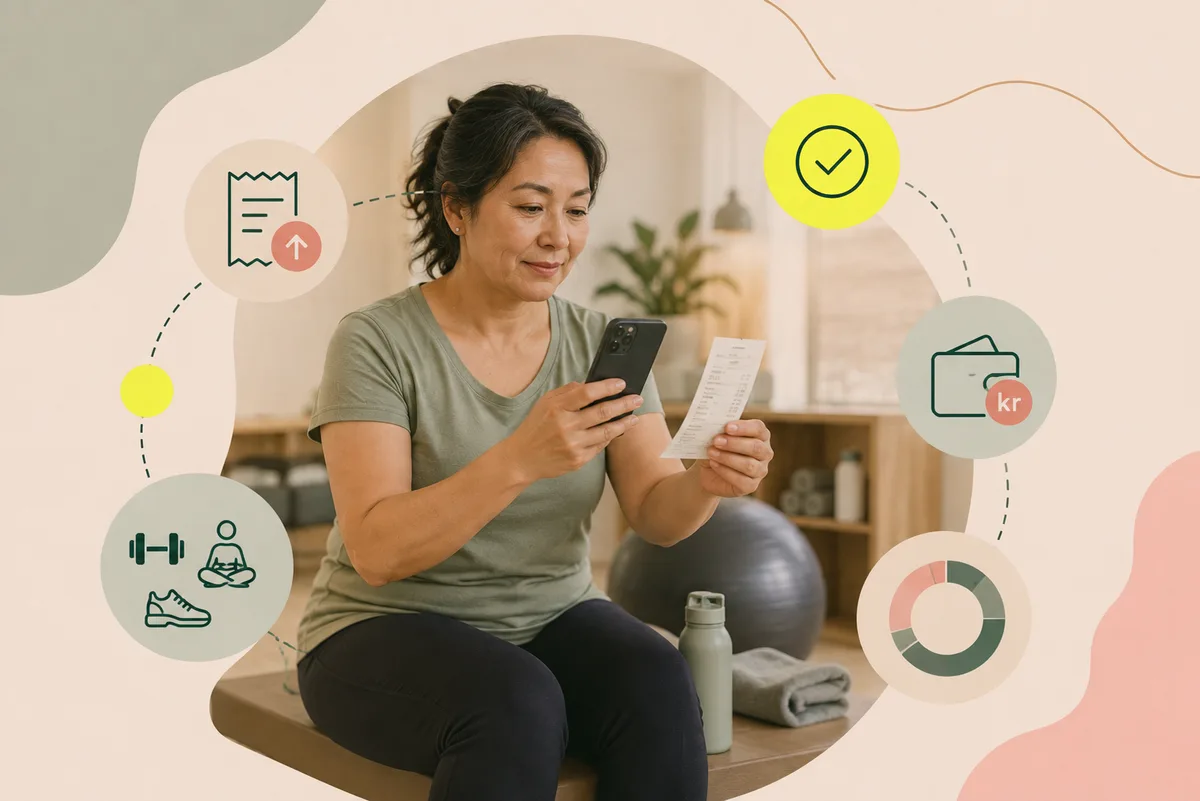
You set the amount, the rules and the processing time yourself — the portal administers what you have decided.
The activity is booked and paid for with any approved provider — and the receipt is kept.
The employee uploads the receipt in the portal before the closing date you have set.
The receipt is approved or declined digitally, within the processing time you have decided on.
The approved amount passes to the payroll system and is paid out the following month.
Receipts, approvals and payroll records are handled in one place instead of in an inbox.
Clear terms and simple uploading mean more people use an allowance they already have.
You see the amount used, receipts awaiting review and the remaining budget per unit in real time.
Wellness is its own part of the Promote module. Employees see their own balance under My profile, HR sees the whole organisation's take-up — and both work in the same view.
About the Health Portal →The Swedish wellness allowance (friskvårdsbidrag) is tax-free up to SEK 5,000 per employee per calendar year. The employer decides what amount to offer — the portal administers the amount and the rules you enter.
Activities and services that promote physical health, such as gym membership, swimming, yoga, dance and massage. Activities without a clear element of exercise — such as massage, acupuncture and mental health — are tax-free up to SEK 1,000 per occasion. Activities that do involve exercise have no per-occasion limit.
Equipment, clothing, food supplements, competition entry fees, medical treatment requiring a licensed practitioner — such as naprapathy and physiotherapy — and activities without a clear health purpose.
No. The Swedish Tax Agency no longer publishes a binding list. The employer makes the assessment, on the basis that the activity should be of a simple kind and of lesser value, with an element of exercise or preventive wellbeing.
The employee pays for the activity themselves, keeps the receipt and uploads it in the portal. HR reviews and approves it, and the approved amount is paid out through the payroll system.
No. The allowance can be used with any approved provider. The partners in the portal are recommendations — selected on a holistic view of health and quality-assured by us.
Training in leadership and systematic work environment management.
Read moreResearch-based lectures for the whole workplace.
Read moreOne-to-one conversations that catch risks early. An attractive benefit for employees.
Read moreBook a free conversation and we will look at your situation — you can start with this service or take the whole Health Portal straight away.
Book a demo →